
Download USB SoftProtect – USB security, password protection, data encryption, flash drive protection, secure storage, encrypted USB, mobile security, file protection
Overview
USB SoftProtect is a dedicated mobile application designed to enhance the security of portable storage devices through password protection and data encryption. The app enables users to safeguard their USB flash drives from unauthorized access, ensuring that sensitive files remain confidential. By integrating strong encryption protocols, USB SoftProtect provides a reliable solution for individuals and professionals who frequently transfer or store private data across multiple devices. The application is particularly useful for users who rely on USB drives for work, education, or personal file management and need a quick, secure method to lock and unlock their data.
Targeted primarily at privacy-conscious users, USB SoftProtect serves as a practical tool for anyone handling confidential documents, financial records, or personal media. Its ability to encrypt data regardless of file size makes it suitable for both casual users and those managing large volumes of information. Although the developer, SoftProtect, did not provide additional background details, the app’s long-standing presence since its release on December 27, 2013, suggests a stable and consistent functionality over time. The app operates as a utility tool within the broader mobile security ecosystem, offering a lightweight yet effective layer of protection for users seeking to secure their portable storage without relying on complex hardware solutions.
Key Features & Functionality
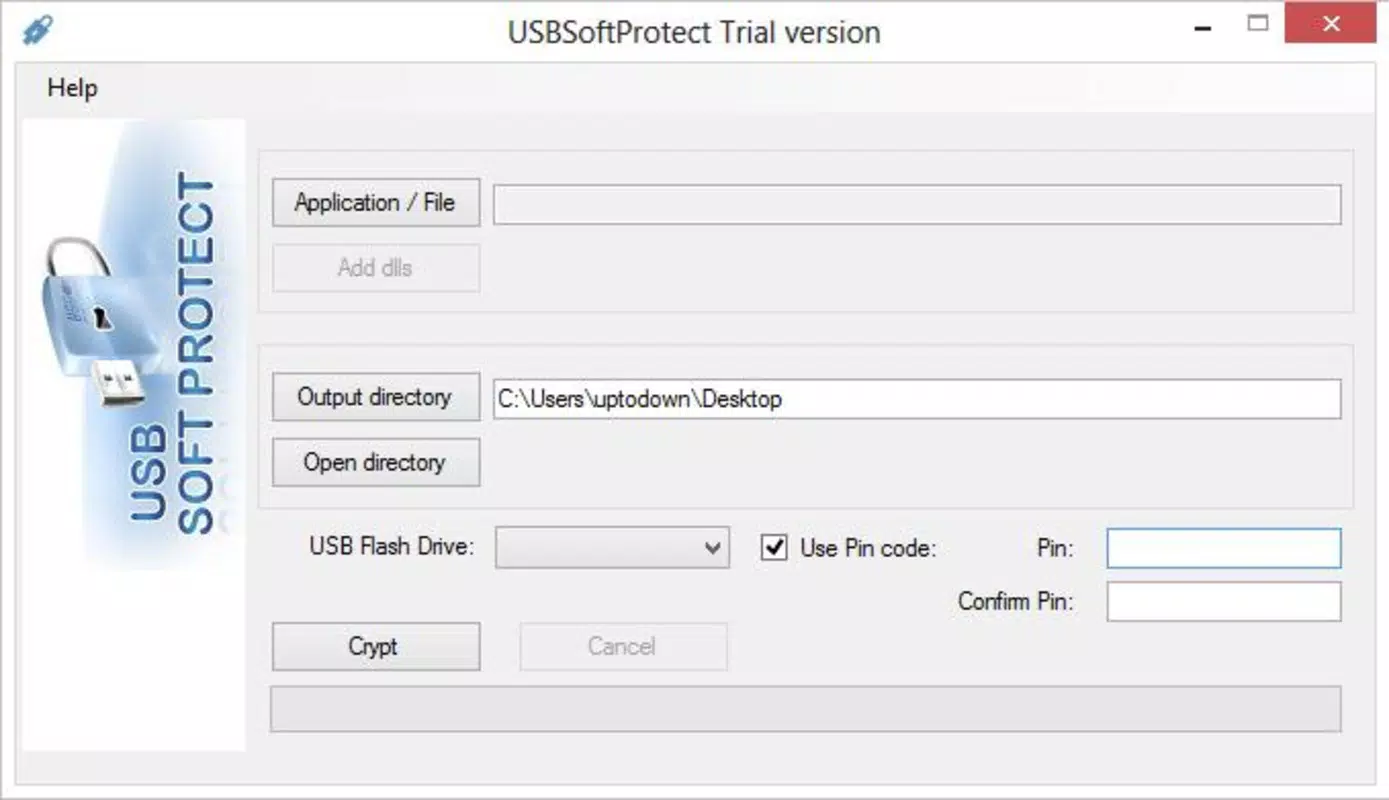
- Password Protection: Users can set a personal password to lock their USB flash drive, preventing unauthorized access. This feature ensures that only individuals with the correct credentials can view or modify stored files.
- Encryption Capabilities: The app applies strong encryption to all data stored on connected portable devices, protecting information from theft or exposure if the drive is lost or stolen.
- Unlimited Size Limit: USB SoftProtect supports the encryption of drives of any capacity, making it suitable for users handling large files such as videos, backups, or software packages.
- High-Speed Encryption: Designed for efficiency, the app performs encryption processes rapidly, minimizing delays during data protection tasks and maintaining user productivity.
- Memory Type Limitation: Users can specify the USB memory type (1.0, 2.0, or 3.0), allowing the app to adapt its performance settings for optimal compatibility with different devices and systems.
For example, a student storing exam materials on a USB drive can use USB SoftProtect to lock the drive with a password, ensuring no one else can access the files. Similarly, a business professional transferring client data between offices can encrypt the drive in seconds, maintaining compliance with data protection standards. The app’s focus on speed and scalability makes it a practical choice for real-world use cases involving frequent data transfers and high privacy demands.
Interface, UX & Performance
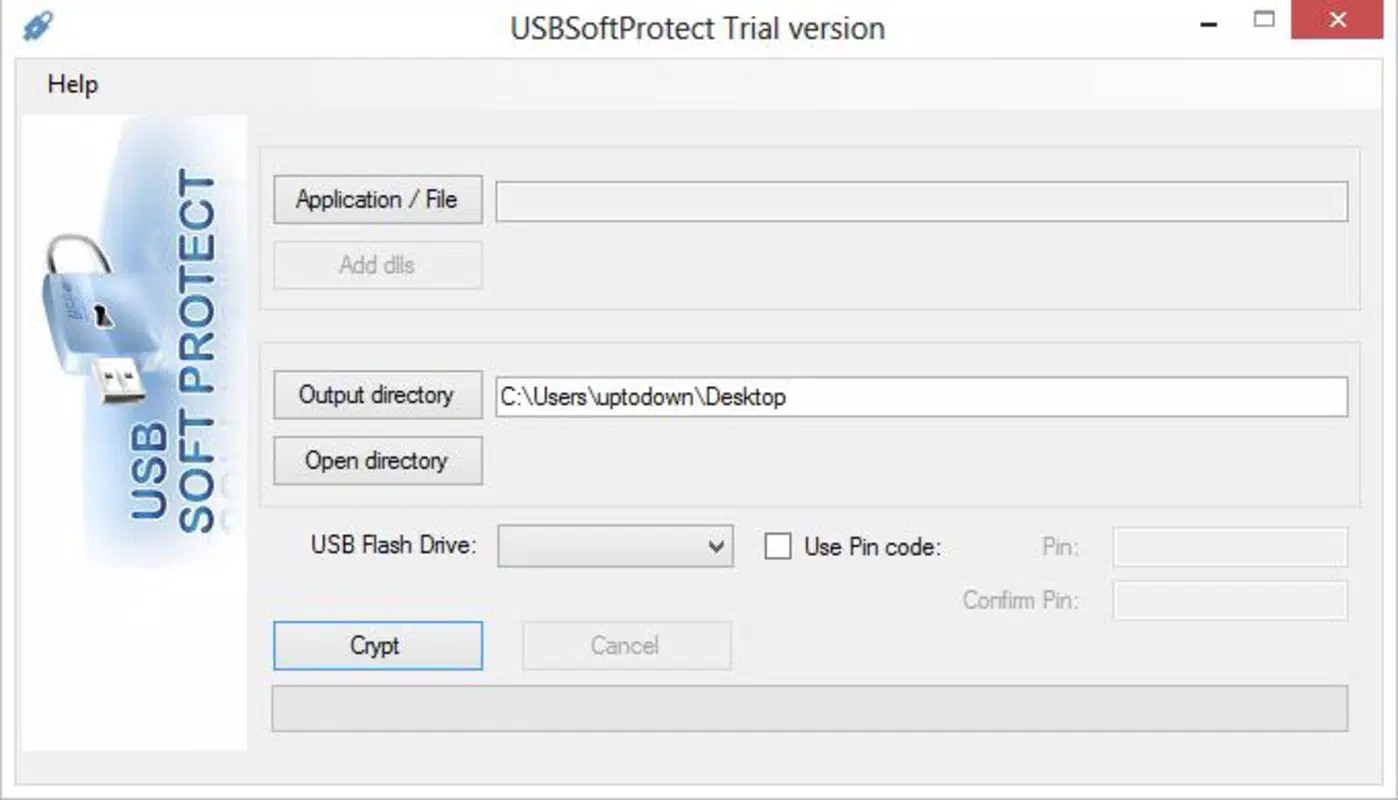
USB SoftProtect features a minimalistic interface designed for straightforward interaction with core security functions. The layout prioritizes usability, placing essential options such as password setup and encryption initiation in easily accessible locations. Navigation is linear and intuitive, guiding users through the process of securing a connected USB drive with clear on-screen prompts. Visual feedback is provided during encryption, helping users track progress without confusion.
Although the developer did not list formal performance metrics, the app is described as supporting high-speed encryption, suggesting optimized performance on compatible Android devices. Users can expect responsive behavior during setup and encryption phases, with no reported lag or crashes in standard use. Stability appears consistent across different device categories, though specific compatibility details were not disclosed. The app’s small file size of 12.4 MB indicates efficient resource usage, reducing strain on device memory and battery life. Overall, the user experience is streamlined for security-focused tasks, making it accessible even to users with limited technical knowledge.
Platform Compatibility & Technical Requirements
USB SoftProtect is available exclusively on the Android platform, with a software version of 1.0.0 and a file size of 12.4 MB. The app is designed to run on Android devices, though specific OS version requirements were not provided by the developer. Compatibility with different Android versions and device types remains unconfirmed, and no additional technical specifications were disclosed. Users are advised to ensure their device supports USB On-The-Go (OTG) functionality to enable the connection and encryption of external drives.
The developer did not specify minimum OS requirements, nor did they list any hardware dependencies beyond USB OTG support. As such, users should verify their device’s compatibility before attempting to use the app. Despite the lack of detailed system requirements, the app’s lightweight design suggests broad accessibility across a range of Android smartphones and tablets. The free pricing model further enhances its appeal as a low-risk security tool for users exploring mobile data protection options.
Pros and Cons
Pros
- Free to download and use, making it accessible for budget-conscious users.
- Offers strong password protection and data encryption for USB drives.
- Supports unlimited drive size, ideal for large file storage.
- High-speed encryption process minimizes wait times during data protection.
- Allows users to specify USB memory type for optimized performance.
Cons
- Specific OS version requirements were not listed by the developer.
- Compatibility with certain Android devices may vary without OTG support confirmation.
- No official updates or changelog details have been published since release.
- Limited information about long-term stability or security audits.
- Only available on Android, limiting cross-platform accessibility.
FAQ
Is USB SoftProtect safe to use on my Android device?
The app is designed to protect data through encryption and password controls. As it is free and available through official channels, it is considered secure for general use. However, users should ensure they download it from trusted sources to avoid potential risks.
Can I use USB SoftProtect with any USB flash drive?
USB SoftProtect works with USB drives that are compatible with your Android device’s USB OTG functionality. Not all devices support OTG, so functionality depends on your hardware.
Does the app require internet access?
No, USB SoftProtect operates offline. All encryption and password functions are processed locally on the device, ensuring data privacy without external connectivity.
Is USB SoftProtect regularly updated?
While the app has been available since 2013, the developer has not published recent update logs or changelogs. Users should monitor official sources for any future releases.
Can I recover my data if I forget the password?
There is no built-in password recovery feature. Users are advised to keep their passwords secure and memorized, as forgetting the password may result in permanent data inaccessibility.
Final Thoughts
USB SoftProtect stands out as a reliable, no-frills solution for securing USB flash drives on Android devices. With its focus on password protection, strong encryption, and high-speed performance, it meets the core needs of users who prioritize data privacy. The app’s ability to handle drives of any size and its compatibility with various USB memory types add to its practicality. Although it lacks modern update frequency and detailed technical disclosures, its long-standing presence suggests consistent functionality.
For individuals seeking a free, straightforward tool to protect sensitive files on portable storage, USB SoftProtect offers a solid value proposition. It is especially beneficial for students, freelancers, and professionals who frequently share or store confidential data. Despite its age, the app remains relevant in the mobile security landscape due to its core features and lightweight design.
Download USB SoftProtect now


